Showing posts with label Review. Show all posts

Monday, 7 December 2015

I used to be a BlackBerry fan, but I'm ashamed to say that I jumped ship on them just before the rest of the world did. Despite using three of their devices in a row, Google's Android held a lot of my OS envy, and in 2011, I purchased the absolutely awesome Xiaomi Mi 2. Despite holding up incredibly well to three years of stress, daily use and damn near torture from me, it's beginning to slow down somewhat. In the spirit of keeping up with the latest tech trends, and under the influence of nostalgia, its replacement will be the BlackBerry Priv!

The BlackBerry Priv is refreshing for two reasons - firstly, it is a candybar phone with a slide-out keyboard [perfect for an oaf like me, who hasn't yet fully managed to become an expert user of touch-screen keyboards], and secondly, it's BlackBerry's first phone to run Android. Blackberry's clear wish with this device is to offer the versatility, functionality, and popularity of Android, combined with the legendary level of security that the Candian phonemakers were infamous [or famous?] for in the past.

First Impressions


The device is very well packaged, as pretty much all phones are these days. It was a surprise to me that the box didn't say BlackBerry in bigger writing towards the top of it, and chose to stick with just the device model and its tagline.
Upon opening the box, I was struck by the size of the phone. Coming from what felt like a 4.3 inch-displayed minnow, the 5.4 inch Priv looked gargantuan, and it's clear that, while this screen will be an utter joy to view things on, one-handed usage of the device will most likely be an issue. The screen is also beautifully curved, almost akin to the Samsung Galaxy Edge. The glass itself is Corning Gorilla Glass 4, and has survived a few days in my pocket with my keys.


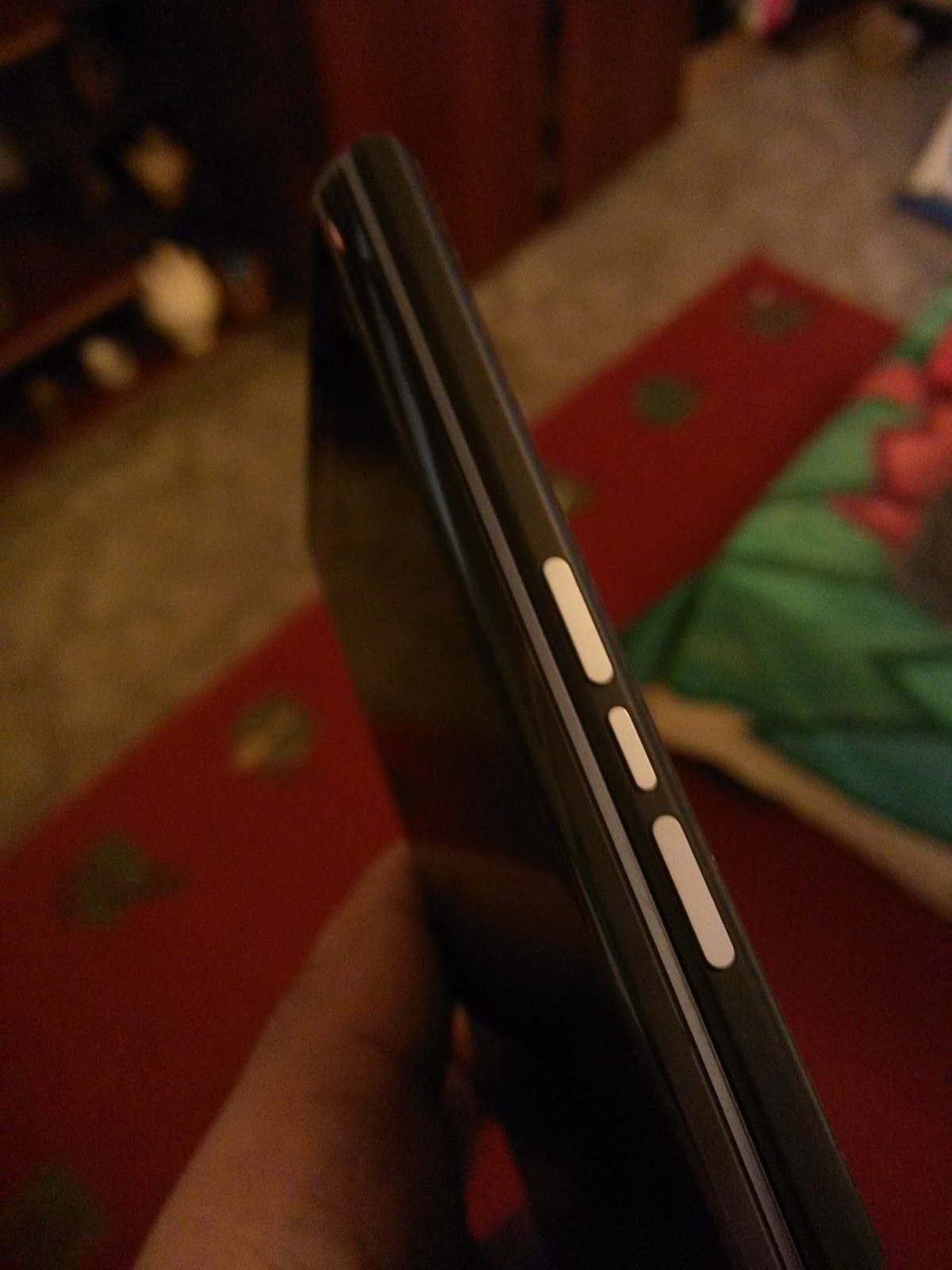
On the right hand side of the device are three silver buttons that aren't overly-tactile, but stick out from the body of the phone just enough to be felt without too much probing. These are the volume buttons and a quick-mute button.

The left side of the phone features the lock-button.

The top of the phone features the SIM card and MicroSD [yes! That's right! Expandable storage!] slots, which both require the use of a SIM tool to be opened. The phone also utilises a nano-SIM, so those of you [like me] using the dinosaur that is a full-sized SIM will need to have a pair of scissors handy. A noise-cancelling microphone also lives here.

The bottom of the phone includes the 3.5mm headphone jack and a place to connect a Micro-USB cable, either for charging or for USB-MHL purposes. The BlackBerry Priv does support quick-charging, but a suitable cable for this is not provided with the device.


The back of the device contains the 18 megapixel Schneider-Kreuznach camera and dual LED flash. On first use [and before updating the camera app], the camera seemed absolutely painfully slow. In a world where most phones are happy to capture a snap in a fraction of a second, the Priv's apparent reluctance to take a quick photo does grate on the nerves a tad, but has improved since the update!

The speaker grille is on the front of the device - no stereo sound here, folks! Above this is a small metallic ridge. Push this up, and hey presto! You now have a phone with a physical keyboard.


Hang on... this all feels very... familiar...

For some, this may be a veyr strong reminder of BlackBerry's last foray into creating a device with a slide out keyboard: the BlackBerry Torch 9800.
As a former owner of the Torch, I surely hope that the Priv lives a longer and slightly better life. After just a few days, the Torch developed strange rattles, squeaks and general idiosyncracies, and in just over a year it died a very quick death. Here's to hoping that the Priv, which is clearly priced and created to be a 'premium' device, is much more reliable.


Running The Device In...

In recent years, BlackBerry have been a major partner of the Mercedes AMG Petronas F1 team, and much like a Formula One car, the Priv requires a bit of 'running in', and doesn't function completely perfectly out of the box. In the first few days [especially while you're setting everything up and making it the device you need it to be], battery life leaves a lot to be desired, and with the heat that the device emits, it also functions as a neat handwarmer, as the 64-bit, hexa-core, Snapdragon 808 processor fires up and finds its feet.

However, after the first couple of days ended, battery life looks like it's on the way up, and the phone only heats up with excessive screen-on time, or intensive use.


So, after a week with the phone, things look initially positive. Stay tuned to see my full review, when I've used the BlackBerry Priv as my daily driver for a few weeks!
In the mean time, the BlackBerry appears keen to prove that it can put the "smart" into smartphone:

I have had some doubts about the #BlackBerry #Priv, but credit where credit's due: It's definitely intelligent...! #smartphones #android #calculator #maths #maffs #slowclapA photo posted by @amruth92 on

Saturday, 22 March 2014

A bit of background...

[If you've read my unboxing post, you can probably skip this bit]

Because I've got a new [actually, it's not so new anymore] job in the city*, I've got to take the tube to work. I've decided that I want to get back into reading, and because most of my commutes look a lot
like this - with people violating your human rights on several counts, whilst also kneeing and elbowing you in body parts that you never knew you had - I thought it would be best to get an e-reader. Until now, I made do with reading "real" books [you know... those things with that stuff in them... what's it called again? YES! That's it! Paper!], and my trusty old Asus Transformer TF101 tablet [which is currently about as slow as an old goat, and about as attractive as one, too].

Given that reading with two hands is definitely not an option on the tube [because you don't want to let go of the rail and accidentally touch someone as you fall flat on your face, because you'd then have to verbally apologise to them, and that could cause a whole host of other complications], normal books and my tablet had to go, unfortunately, and have been replaced by this, my new Nook Simple Touch with GlowLight:


I covered most of the specs and start-up process of the device in my unboxing post, so I'll just go straight ahead and dive right into the review.

The review

The Outside

In terms of aesthetics, the nook is quite pleasing. Its rounded corners and rubberised, 'soft-touch' finish make it a pleasure to hold. The device is quite sleek and can be slipped neatly into a bag or backpack, and the four 'clipholes' [for want of a better word] around the device mean that it can be customised with a whole host of covers and accessories. These are accessories that you may wish to invest in - while the unit does feel solid and doesn't feel like it'd need too much protection, the back of it is a finger-print magnet, and requires a lot of wiping down.

The power button on the back of the unit, whilst being quite firm to start with, does loosen up after a while - but sadly, this means that it develops quite a bad rattle, which could potentially be quite annoying if you plan on travelling with the Nook Simple Touch a lot. The multi-functional 'n' button on the front works well [no rattles here], as do the page turn buttons, which function well on both sides, but take a little time to get used to. Other than these buttons, the device is quite minimalist - no funky d-pads or QWERTY keyboards that can be seen on other readers - just 6 buttons, a touch screen, and a micro USB port.

Having travelled with the device to work for around a month, I've sadly come to the conclusion that I must be the only person in the city of London to own any variant of the Nook Simple Touch. Anywhere you go, you realised that you've just backed the underdog in the e-reader world. Every single book-reading Londoner appears to own a variant of the Amazon Kindle. Don't let this put you off, though - throughout my time with the Nook, I've not had a single pang of jealousy for those who are Kindled up to the nines, no siree.

What does it do?

Well, it allows you to read.

That's it?

Yes, that's it. Unlike other e-readers on the market [namely, ironically, the un-named ones from China], this e-reader does not come with the full shebang, the full monty, or all the bells and whistles. There is no 3.5mm headphone jack for you to play music and listen to your books being read back to you. There is no secret button for you to enjoy a game of pac-man. There is no stock web-browser. 

This device is just an e-reader. I, personally, am more than happy with that. I've got an iPod and a Xiaomi Mi2 mobile phone, so I don't need yet another device that does absolutely everything - I'd rather have a device that allows me to read books, magazines, and the occasional PDF file, and be able to read well.

How do I get books onto it?

There are two ways. Firstly, and arguably the easiest, is to just hook up the Nook to your PC with the provided micro-USB cable and drag and drop books [in ePub or PDF format] to the 'books' folder. Simples. 

Secondly, if you sign up for a Nook account [which you'll be asked to do when you first boot up the device], you can browse the Nook bookstore, either on your PC or the Simple Touch itself, and choose any book you'd like to read and have it delivered to your device over your WiFi connection. Pretty snazzy, huh?

ePub books work incredibly well on the device, though the way it handles PDF files leaves a lot to be desired, with pages rendering slower than a narcoleptic snail. If you tend to use PDFs more than ePubs, I would recommend using a tablet or netbook device.

Battery life

Having never owned an e-reader before, I'm not really sure how to feel about the battery life on the device I've used. People have remarked that e-readers have incredibly long battery lives, and given that they only use power when refreshing the screen, using/searching for WiFi, or having the GlowLight on, one charge is meant to last over two months.

Sadly, in my personal experience, I've not seen evidence of this gargantuan battery life. One charge, for me, would last around a week and a half with the WiFi off, the GlowLight only being used for about an hour in total, and reading for about 2 and a half hours each day. 

Thankfully, though, I've found that if you give the Nook an extended period of rest [and by that I'm admitting that I got tired of reading for a while and I didn't touch the device for two whole weeks], it automatically powers down. This is quite pleasant - until you boot it up again and realise that it's deleted all of the bookmarks and saved passages that you had in your books, meaning that you might as well start reading your current novel from the beginning because you can't remember exactly where you were. 


The screen

The 6 inch screen on the Nook Simple Touch is a pleasure to read off. One of the reasons I decided to say goodbye to my tablet as an e-reader was that I couldn't handle the eyestrain of reading books on its backlit LED screen for hours and hours on end. The Nook's e-ink screen is easy on the eyes, and the adjustable GlowLight is fantastic for reading at night.

While text is crisp and clear to start with, this gets tarnished somewhat by 'ghosting' that occurs when you turn the page. The Nook, by default, is set so it only refreshes the entire screen after you turn six pages, meaning that you avoid the black-and-white flash of a full-page refresh occurring every page whilst also saving battery power. This means that in some cases, words from previous pages are left behind on the screen faintly - this doesn't cause much of a distraction, and can always be reduced by adjusting the number of pages between a full-page refresh.

The device has a touch screen [hence the name Simple Touch]. This makes use of a bunch of infrared beams being shot across the surface of the screen to pinpoint where your finger actually is. While the screen is incredibly responsive - typing on the keyboard screens that come up is actually a joy on this device - it can sometimes be a bit too sensitive - brush up against the device with a different part of your body as you hold it and you'll end up being accidentally moved 200 pages further in your book.

As I mentioned briefly in the unboxing post, the screen itself feels a bit like the textured paper in a book, in a weird way. If you decide to move pages on the device by swiping left and right instead of using the buttons, you can almost trick yourself into believing that you're reading a proper book.

The big change that differentiates the Nook Simple Touch from the Nook Simple Touch With GlowLight is the fact that the user can power on a strip of LEDs on the device that will spread light across the screen. While this is a great feature for those who enjoy reading at night or in dark environments, the execution could be improved somewhat - tilt the device away from you, and you can clearly see the strip of LEDs and the green tinge of the circuit board they're attached to. This hasn't been much of an annoyance to me, but if you're one to nit-pick, the Amazon Kindle may be a better device for you as "all the small things" have been executed to a slightly higher standard.


The system

The operating system that the Nook Simple Touch runs is... [wait for it]... Android. Even though, out of the box, it has limited functionality when compared to smartphones and tablets running the same type of OS, it can be rooted and modded to your satisfaction - so if just reading isn't enough for you, you can tinker to your heart's content. [I use the device as an e-reader only and have not done this, though you can find tutorials online. Of course, do this at your own risk!]

The stock system and software on the Simple Touch is responsive and functions surprisingly well for something running on an e-ink screen. Customisation features allow you to change the font, font size, line spacing, and margins within any particular book, which ensures that this device could be perfect for both young 'uns and more mature people in your life. 

By hooking the device up to a PC and dragging a few images over to the ___ folder, you can change the screensaver images that appear whenever you hit the lock button on the device. If you upload more than one image, these will cycle through in order. 

To sum up


All in all, the Nook Simple Touch with GlowLight is a nifty little device. Stylish, light, and compact, it's the perfect device for reading books on the move. However, with prices in the UK starting at around £30, it may be a bit pricey for a device that, essentially, is a bit of a one-trick-pony. That being said, if you're a hardcore reader, I wholeheartedly recommend this device. It's simple to use, portable, and tech-lovers can have fun rooting and modding away.

Pros:
- Customisation options mean that the device can be used by anyone
- The device is small and light, perfect for reading on the move.
- The GlowLight is a handy addition and is great for reading at night without glare or eyestrain.
- The touchscreen is a joy to use and the system is incredibly responsive.

Cons:
- Books lose all bookmarks and reset to the first page when the battery dies or goes to 'sleep' after an extended period of non-use [though this may just be a problem with my particular device!]
- PDFs are about as useful as a chocolate ashtray on the Simple Touch
- Build quality could be improved, but I didn't find this to be too much of an issue. If you are concerned about your device, a whole host of covers and accessories are available.


Tuesday, 30 July 2013


Even though I've recently finished university, I've found it hard to readjust to normal day-to-day life. By that, I mean that I still have this strange desire inside of me to consume Pot Noodles and other products of the same ilk.
Thankfully, though, I appeared to have found a product that will allow me to satisfy my craving for quick noodles, whilst also throwing away that "I'm a poor student" reputation that these products often come with.

     Itsu is a company that has a range of restaurant and shops in London specialising in sushi and salads, and even though I've never eaten at one of their establishments before, I figured that owning a few fancy restaurants would mean that their noodles would be top notch.

The broth tastes horrible. 
Going broth-less won't leave your breathless, either.
On the face of it, the noodles look rather nice. The packaging looks a bit more fancy than most of the 'run of the mill' noodle snacks on the market. Open the plastic lid, and you'll find a long and deep 'spork' [which, sadly, is about as useful as a chocolate ashtray]; cooked, soft noodles [which are a refreshing alternative to the dry noodle-clumps that most of these products provide]; a sachet of dried vegetables; and a sachet of 'heavenly broth paste'.

Sadly, however, that's where the beauty of the 3 Minute Noodle Pot ends. The broth that is provided appears to have gone a bit too heavy on the lemongrass and ginger, to the point where it goes past being exotic, and tastes like a cocktail of bleach, and alcohol hand-rub, with a hint of Dettol. Remove the God-awful broth from the pot, and sadly the noodles taste absolutely bland. The dried vegetables, which make the noodles look incredibly fancy, do absolutely nothing for the taste of the product - a sentiment that really sums up the Itsu 3 Minute Noodle Pot quite well. The only thing this noodle dish really has going for it is that it's a country mile ahead of the competition on aesthetics alone. But if you'd actually like something tasty to eat, and not just something pretty to waste time on and stare at, this product isn't for you.

Sadly, I won't be recommending this product to anyone. Other than buying another tub simply to hide some Pot Noodle in, I don't think I'll ever consider purchasing Itsu 3 Minute Noodles ever again.

Friday, 16 November 2012

First off, I should probably start off by admitting that, in this case, the title "book review" is a misnomer. No, I haven't sunk so low as to ignore the old adage "don't judge a book by its cover," but I did [somewhat reluctantly] manage to struggle through the first chapter of this novel.

Having been a member of goodreads for quite a while, I am always happy to receive new recommendations on what books to add to my ever-creaking shelves next. While I usually stick to reading other people's reviews, I was met with an interesting proposition, when stand-up comedian and author [and I use those terms loosely] Steven Scaffardi, offered me the chance to download and read his latest lad-lit offering "The Drought" for completely free.

Of course, being a stingy student, and a keen fan of the lad-lit genre [which is basically chick-lit but for guys, if you couldn't guess], I would've been a fool to say no, especially to someone who had been compared to previous authors I have read, such as Matt Dunn and Mike Gayle. Before downloading any free material, however, I decided to read the first chapter of the book that appears free-to-view on Scaffardi's blog.


Long story short, The Drought is about Dan Hilles, a fallen Casanova whose charm has gone MIA, resulting in a long period of sexual inactivity. Throughout the novel, he calls upon several friends to ensure that he gets his mojo back and the magic happening. Well, he does if you can get that far into the book, anyway.

Despite being familiar with the genre, and not exactly loathing the premise, I could not be won over by Scaffardi's first chapter at all. The writing style, whilst not entirely off-putting, isn't conducive to humour at all, and simply makes the reader feel as if they're wading through treacle to get to a punchline. The punchlines themselves, once you've found them, really aren't that special anyway, resulting in a mild 'heh', rather than the big, belly, Brian Blessed-esque laughs that can be generated from most other books in the genre. [But, of course, humour is subjective, so others may take to Steven Scaffardi's jokes like a duck to water.]

Dan Hilles is portrayed as a clumsy, yet well meaning person when it comes to love. In many ways, he could be The Big Bang Theory's Howard Wolowitz crossed with Mr Bean. Unfortunately, however, he has the humour of a funeral on a wet Wednesday. His mishaps don't, unfortunately, cause the reader to feel any sympathy for him, as he comes across as a bit of a sex-crazed douchebag [for lack of a better phrase].

At the end of the day, The Drought is exactly that: dry, boring, and seemingly never-ending. From the first, utterly mind-numbing sentence [which stirs up about as much intrigue as finding a twig in a heavily wooded area], the tale [or at least the first chapter] is a work that made me internally scream: "OH FOR GOD'S SAKE. IS THIS FINISHED YET!?"
A fellow reviewer remarked that the book made her cry - I can assure you that you won't be bawling tears of joy at this novel.

RATING: 2/10 - [First chapter only. I might read the rest of it when I have a death wish.]

Sunday, 28 August 2011

The Book Bit
It's not often that one can read a book that perfectly condenses life, warts-and-all, into 464 pages of paperback perfection. Most authors tend to capture a wonderfully two-dimensional perspective of life. It's either usually too happy, too sad, or too damn boring.
David Nicholls, however, has managed to flesh out the emotions to a tee, making the characters of his lengthy and emotionally dense tail an become immaculately believable in the mind's eye of any reader.
The main characters themselves are perfect representations of the genres that pertain to their gender: Dexter is a lad-lit author's dream, being higher class, rather attractive, and the boy-about-campus who doesn't mind a party or seven. Emma, in a strange yet fitting contrast has popped straight out of a chick-lit novel, with her staunch feminism, 'unconventional-cute-looks' and her permanent and unfailing strength to protest for something or other.
Strangely enough, these two opposite characters find themselves together in a hotel bed on St Swithin's Day, just after they've both graduated from Edinburgh University. While Emma has crushed on 'Dex' throughout the years at university, he is trying to plot an inconspicuous escape from the bed- but both are starry eyed and rather perplexed as to what lies ahead, with their vice chancellor ensuring them that the doors of opportunity are 'flung wide'. To Dexter Mayhew, thinking ahead too far forward in the future is terrifying, being one of those fashionable 'in-the-now' males.
As always, though, the heart-to-heart can't last forever, and we sadly see the pair go their separate ways- thought they vow to keep in contact. Dexter jets off around the world visiting far flung lands across the globe, and Emma keeps her feet on the ground in Britain, starting off by working for a community theatre company along with a closet racist and a definitely-not-closet exhibitionist. Both Dexter and Emma write to eachother furiously; staining pages with messages that tug on the heart-strings and convey that they like eachother just that little bit more than they're letting on. Dexter, too, rather surprisingly offers several poignant letters, showing magnificent care for Emma- though, of course, it could have been the exotic alcohol talking.
Throughout the book, where we see the pair's communications and meetings every St. Swithin's day. Dexter's career runs about as high as the emotions in the book, as he becomes a British television star. Emma's, however, sinks. After the community theatre stint, she ends up working in a cheap Mexican restaurant in North West London, and every day, slowly but surely, becomes another painful chore; serving customers several varieties of tortilla, and having to socialise with Ian Whitehead, a colleague and part time stand-up comedian who just can't find the off button on his 'humour'. Through this time, jealousy floods from the tale like a river flooding from a broken dam, almost to the point where the reader can taste it in their mouth. It seems as though, despite the main characters' blatant hankerings for each other, their paths will never cross in the same way again, as Emma gets involved with Ian, and Dexter gets involved with anything that moves and may have drugs.
Slowly but surely, as in real life, the characters change and adapt, and the emotions they create suddenly create a huge dark hole within the reader, matched only by the voraciously addictive nature of the book. At times, David Nicholls' bracing wordcraft creates massive moments of hunger, with the reader praying for the mental and romantic torture to end as he plays with the lives of Dexter and Emma, bringing them within touching distance of each other, but always, somehow, leaving them miles apart.
The book itself is incredibly well written, and as emotions run as high as the Alps and as thick as treacle, the plot compliments it perfectly, offering several twists that always leave the reader wanting more.
Rating: 9/10

The 'Popcorn Post' Bit
Assuming that you don't live under a rock, you'll probably know that One Day has been adapted into a movie. Living in London, it's hard to escape that fact, with a theatrical poster being cheaply applied to almost every bus in the capital.
For a book that was wonderfully expressive, and left high expectations in the mind's eye, the movie [or the trailer, at least] seems to be desperate and disappointing. While I am an Anne Hathaway fan, and am in awe of her various talents, her casting has been a big problem for me, and her 'Yorkshire' accent sounds like she took cut-price diction lessons from Kate Middleton.
In my mind, I would have preferred a home-grown, English cast to play the major roles, something that worked beautifully in an adaptation of another of Nicholls' books, 'Starter for Ten'.
It's safe to say that the film is a massive let-down, especially when compared to the most graphically pleasing media player in the world: the mind. Whether it ruins the reputation of the fabulous book, however, remains to be seen.